Please prepare a media source with an HTTP/HTTPS address that is accessible from the internet. Currently, only HLS variant streams and DASH VOD or Live sources are supported. If your source is in another format, such as MP4/TS/FLV, please convert it to HLS/DASH multi-bitrate format yourself, or use MPS for conversion.
The sources used in this documentation are as follows:
VOD:
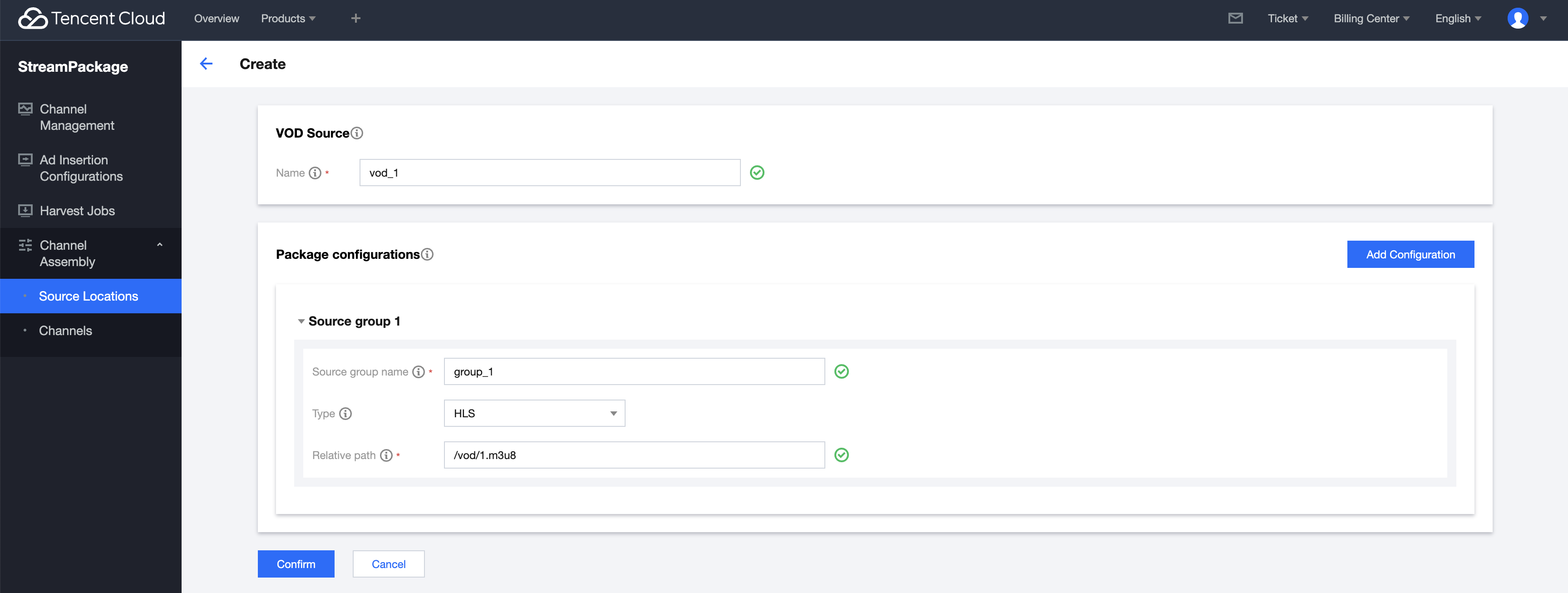
http://your_source_domain/vod/1.m3u8
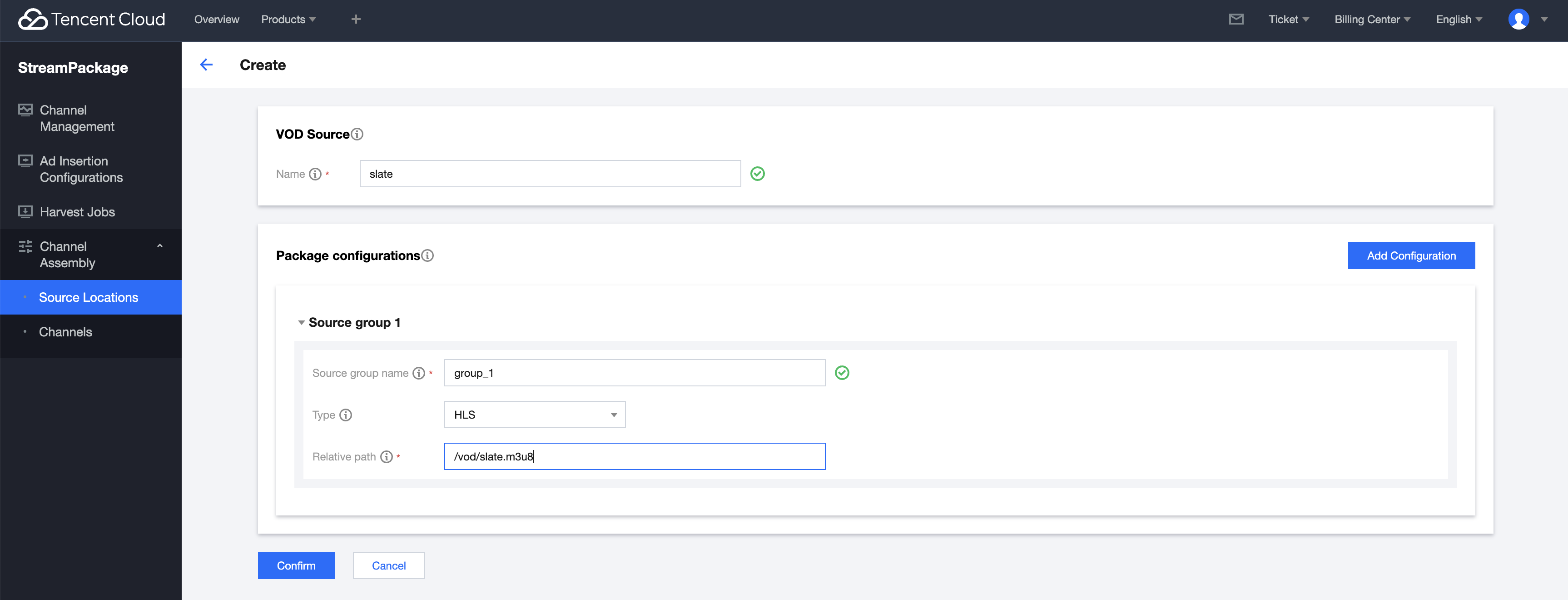
http://your_source_domain/slate/slate.m3u8
Live:
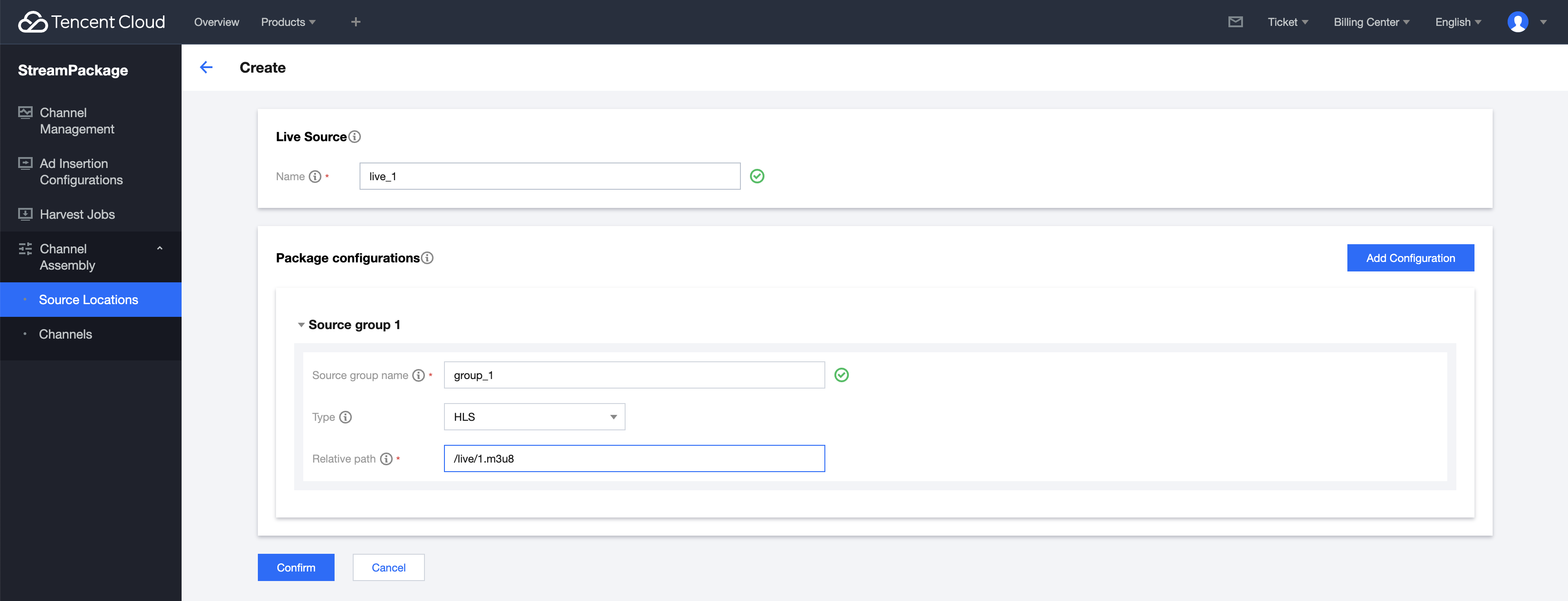
http://your_source_domain/live/1.m3u8
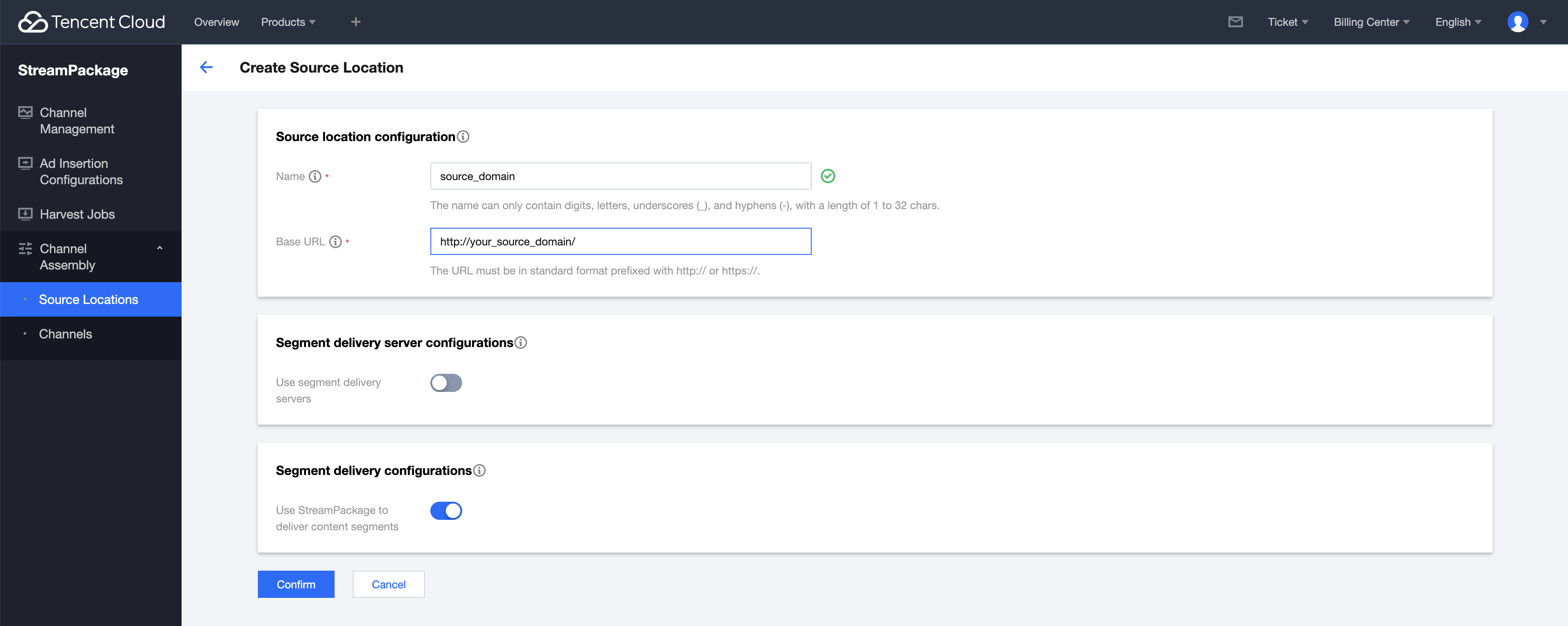
Create Source Location
First, in the console Source Locations page, create a source location. In this example, the domain name is "your_source_domain". Enter the domain name information as shown in the following image.
Add Source
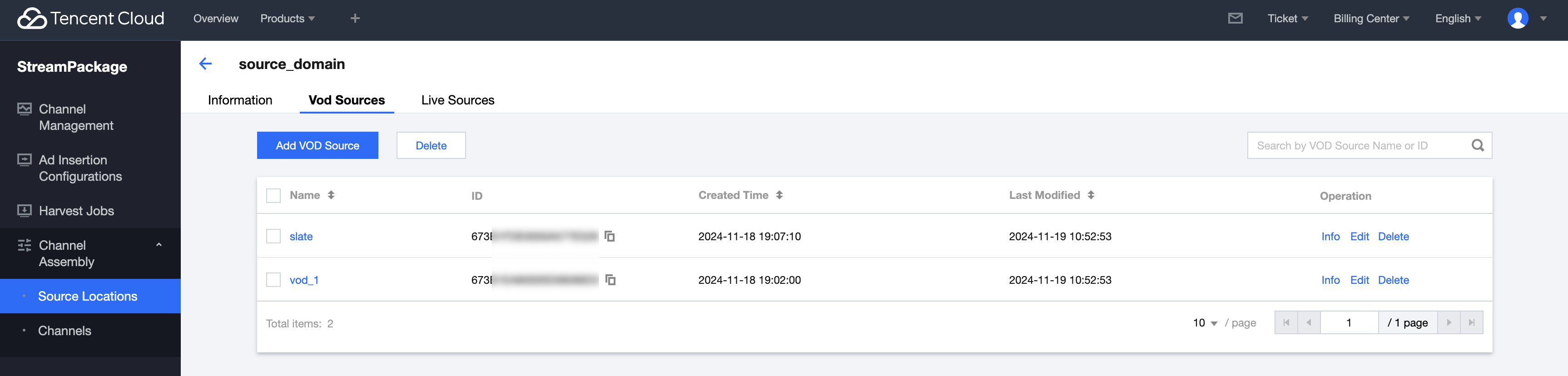
Add VOD Source
1. Click the already created Source Location, and on the Vod Source tab, click Add VOD Source.
2. Add VOD sources sequentially.
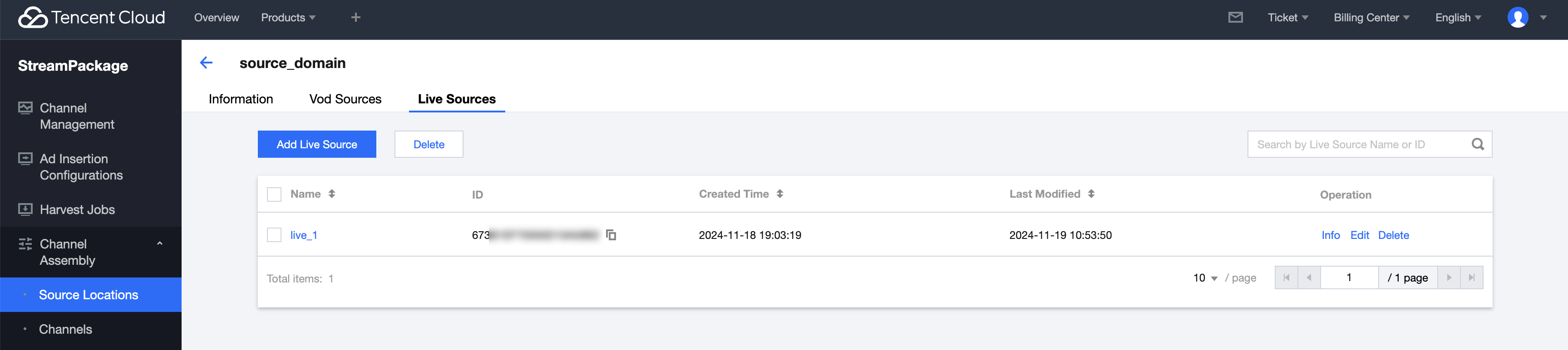
Add Live Source
1. On the Live Sources tab, click Add Live Source.