Purchase Method
다운로드
포커스 모드
폰트 크기
Prepaid
1. Sign Up/Log In to a Tencent Cloud Account
If you have not registered yet, click Sign up for a Tencent Cloud account to complete account activation, or refer to Tencent Cloud Account Registration Guide.
2. Go to the eKYC Console
3. Activate the Service
4. Purchase a Resource Bundle
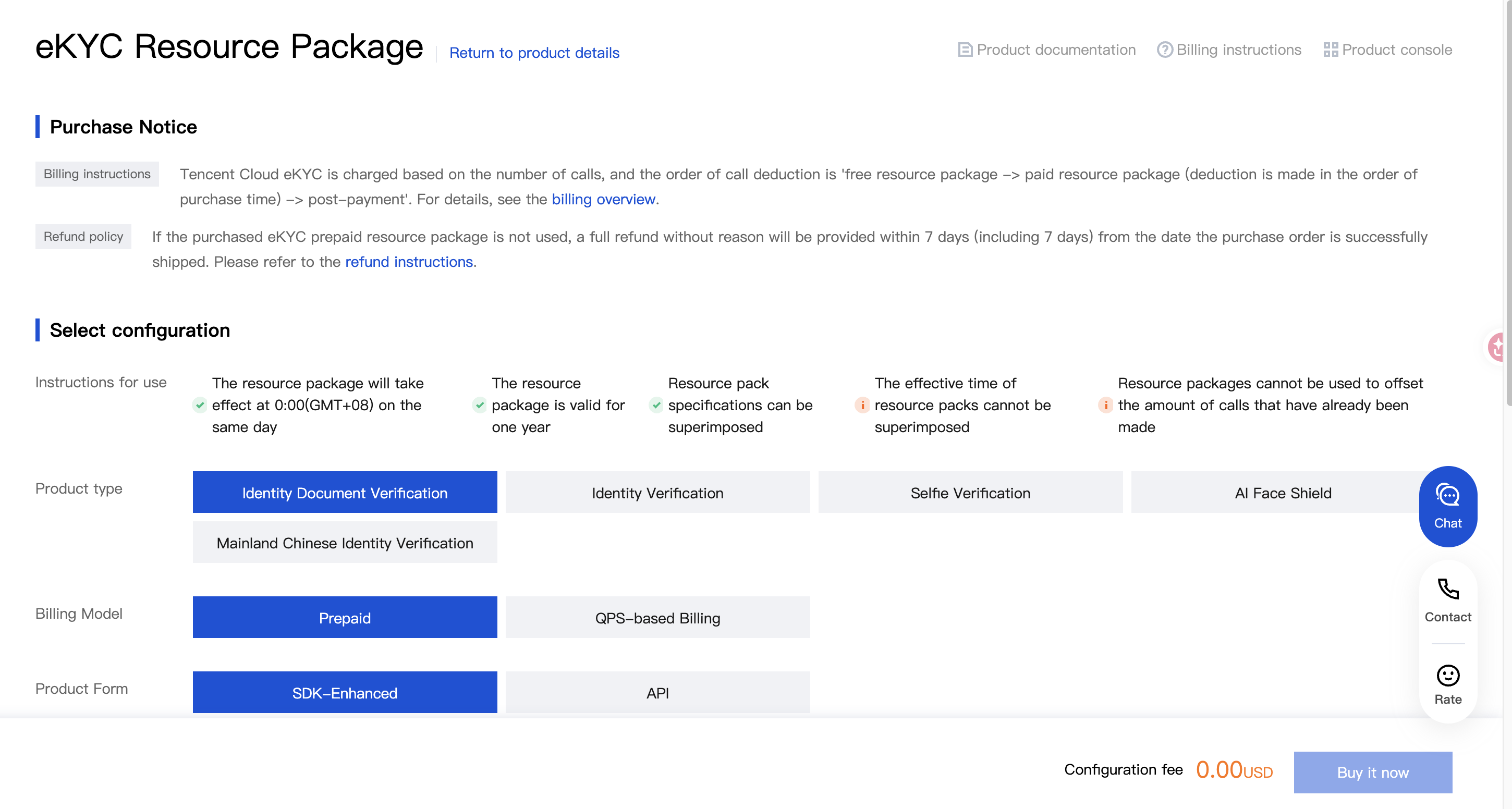
Go to the eKYC Resource Bundle purchase page, or click Purchase Resource Bundle on the Resource Bundle List page in the console.
5. Configure and Pay
Select the desired resource bundle type and quantity, click Buy Now, and complete the payment as instructed.
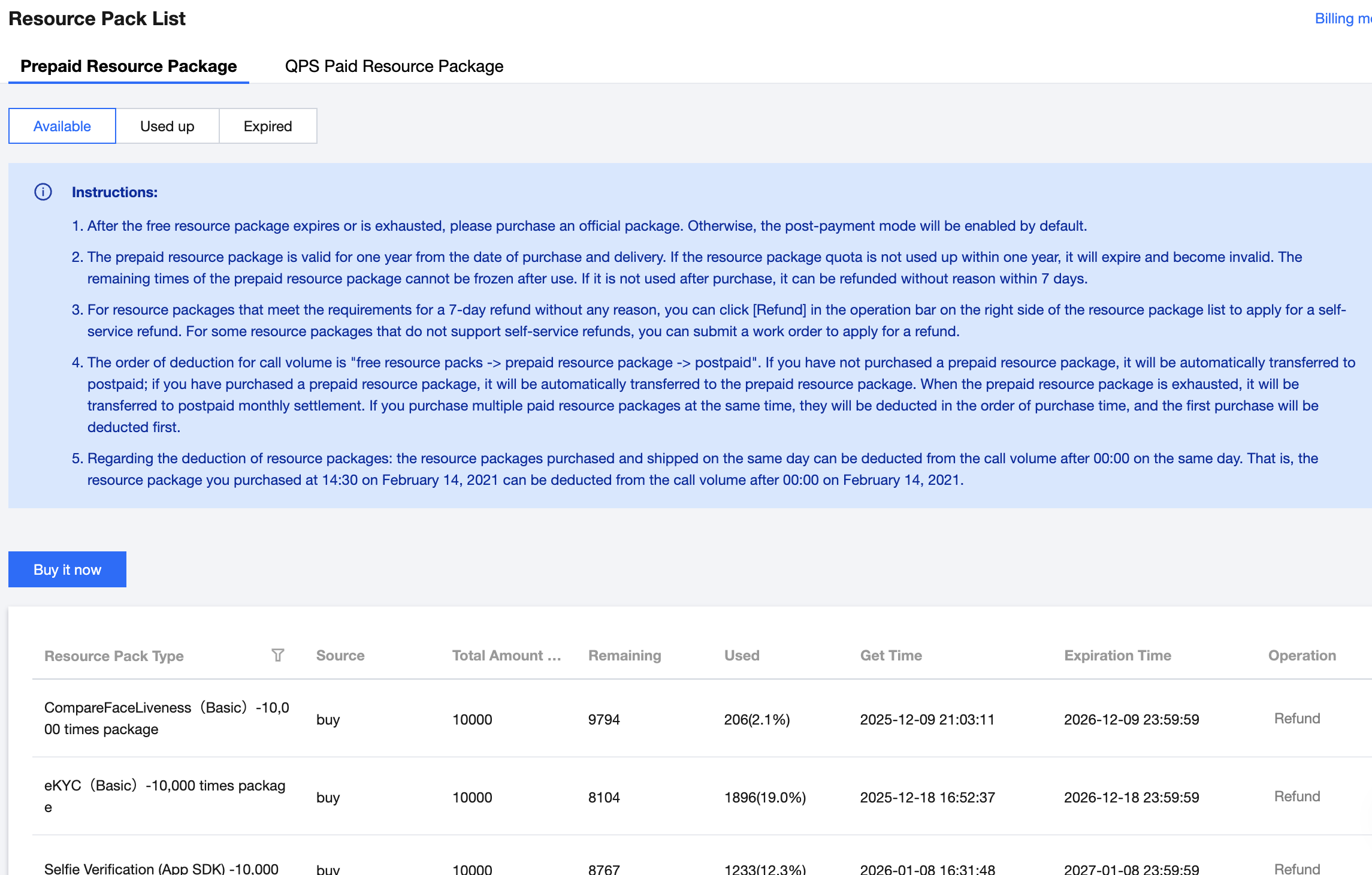
6. View Resource Bundle Details
Postpaid
From the 1st to the 3rd of each month, the system generates the bill for the previous month and automatically completes settlement and deduction.
피드백