tencent cloud
最新优惠
产品
解决方案
价格中心
合作伙伴网络
云市场
探索更多
Prev
Next
流计算 Oceanus
动态与公告
产品动态
Flink 引擎版本
产品简介
产品概述
应用场景
产品优势
购买指南
计费概述
计费模式
退费说明
调整配置费用说明
快速入门
从零开始上手
创建独享集群
创建 SQL 作业
创建 JAR 作业
创建 Python 作业
Flink 动态 CEP 快速入门
操作指南
上下游数据一览
作业管理
作业开发
监控管理
作业日志
事件与诊断
现场采集
库表管理
数据探索
变量管理
函数管理
连接器管理
配置管理
依赖管理
快照管理
作业调优
集群管理
权限管理
SQL 开发指南
开发指南概述
术语和数据类型
DDL 数据定义语句
DML 数据操作语句
MySQL CDC 多 Source 复用
上下游开发指南
SET 控制语句
运算符和内置函数
标识符与保留字
同时引用多个外部 Catalog
Python 开发指南
流湖引擎 Setats
Setats 简介
Setats 集群管理
作业开发指南
监控指标
常见问题
联系我们
词汇表
文档
流计算 Oceanus
操作指南
集群管理
安全组
安全组
下载
聚焦模式
字号
最后更新时间: 2026-08-11 14:58:16
安全组是一种虚拟防火墙,具备有状态的数据包过滤功能,用于设置云服务器、负载均衡、云数据库等实例的网络访问控制,控制实例级别的出入流量,是重要的网络安全隔离手段。详情请参见
安全组概述
。
绑定安全组
1.
登录
流计算 Oceanus 控制台
,在
计算资源
的集群列表中选择单个集群
,
在集群信息的资源信息模块中找到安全组。
2.
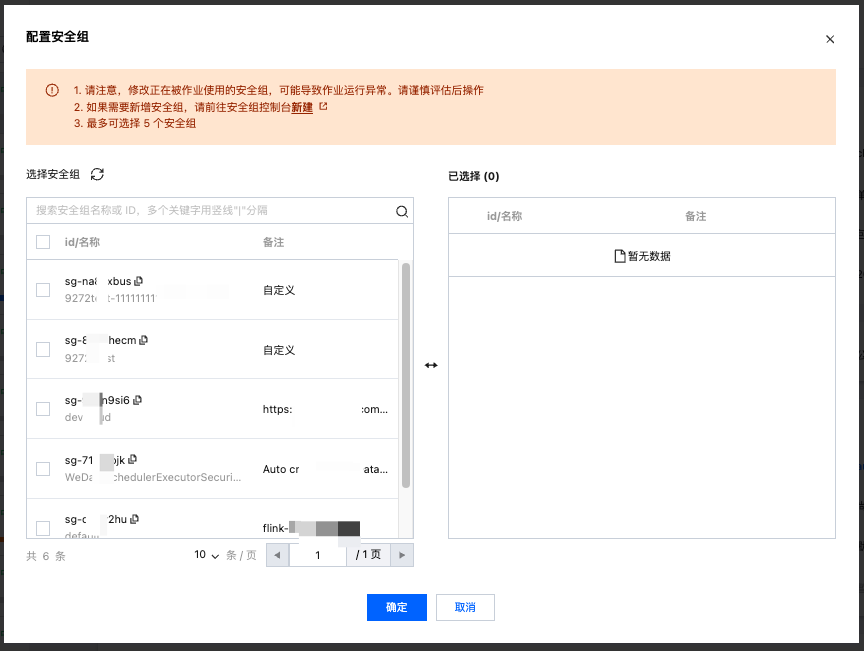
选择已有安全组进行绑定,如果需要新增安全组,可以新增后再进行绑定。
3.
绑定成功后显示安全组信息。
上一篇: Session 集群
下一篇: 权限概述
帮助和支持
本页内容是否解决了您的问题?
是
否
您也可以
联系销售
或
提交工单
以寻求帮助。
填写满意度调查问卷,共创更好文档体验。
点击前往
文档反馈
搜索
仅搜索标题
请输入关键词搜索文档